If you recently upgraded to MacOS Sonoma, you might have noticed the caps lock indicator hovering around your input fields. But there is good news, two quick commands is all it takes to get rid of it – you run them in the terminal. Requires reboot for it to take effect.
sudo mkdir -p /Library/Preferences/FeatureFlags/Domain
sudo /usr/libexec/PlistBuddy -c "Add 'redesigned_text_cursor:Enabled' bool false" /Library/Preferences/FeatureFlags/Domain/UIKit.plistCode language: Bash (bash)
Here are some other posts you may like

Electric power companies, in general, are pretty much the same. Tibber however, is unlike any electricity company I had seen before. They try to utilise the data we get from smart devices, which they also sell, to save electricity, money and the environment, as well as improving comfort. It’s a…

This is hands down the question I'm asked most often, "How does the Tesla Model S handle the norwegian winters?" The short answer is great! Naturally opinions will vary, but for me it has been awesome. It has made me leave my petrol car out in the cold, literally. Preheated Lets…
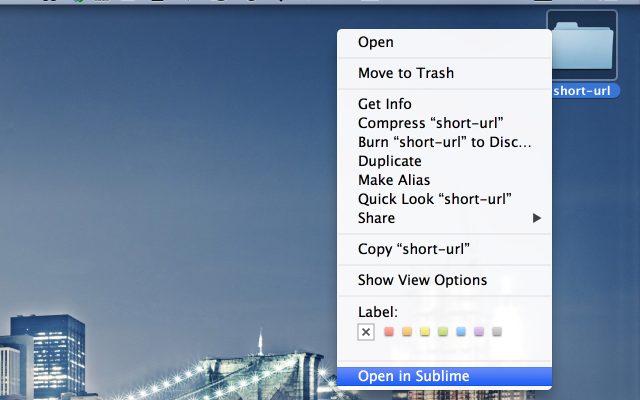
In this post I will describe how you can add an item to the context menu in OS X for opening a folder in Sublime Text 2. Secondly we will make it easier to open a file or folder in Sublime from the terminal. Start off by opening Automater, and…