If you recently upgraded to MacOS Sonoma, you might have noticed the caps lock indicator hovering around your input fields. But there is good news, two quick commands is all it takes to get rid of it – you run them in the terminal. Requires reboot for it to take effect.
sudo mkdir -p /Library/Preferences/FeatureFlags/Domain
sudo /usr/libexec/PlistBuddy -c "Add 'redesigned_text_cursor:Enabled' bool false" /Library/Preferences/FeatureFlags/Domain/UIKit.plistCode language: Bash (bash)
Here are some other posts you may like
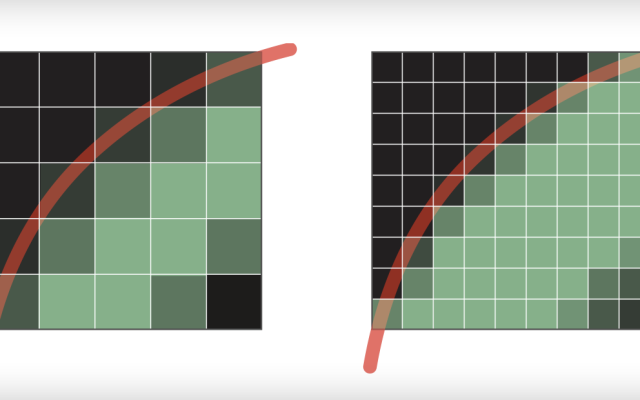
This post serves as a summary of what I talked about at the Wordpress Meetup Oslo on tuesday October 16th. First, as an introduction, we need to understand what it HiDPI or retina display means. It is the concept that 1 pixel doesn't display 1 unit on the operating system.…

Electric power companies, in general, are pretty much the same. Tibber however, is unlike any electricity company I had seen before. They try to utilise the data we get from smart devices, which they also sell, to save electricity, money and the environment, as well as improving comfort. It’s a…
I wanted to monitor the power usage of our water heater. However, because it draws 3000W, there weren't a ton of options for what smart plug to use that supported both the needed wattage, zigbee and power monitoring. I ended up buying an ELKO SmartPlug 16A Zigbee plug. Since there…